

@flow decorator.
When a function becomes a flow, its behavior changes, giving it the following advantages:
- All runs of the flow have persistent state. Transitions between states are recorded, allowing you to observe and act on flow execution.
- Input arguments can be type validated as workflow parameters.
- Retries can be performed on failure.
- Timeouts can be enforced to prevent unintentional, long-running workflows.
- Metadata about flow runs, such as run time and final state, is automatically tracked.
- A flow can be elevated to a deployment, which exposes a remote API for interacting with it.
Run your first flow
The simplest way to get started with Prefect is to annotate a Python function with the@flow decorator.
The script below fetches statistics about the main Prefect repository.
(Note that httpx is an HTTP client library and a dependency of Prefect.)
Turn this function into a Prefect flow and run the script:
repo_info.py
Supported functions
Almost any standard Python function can be turned into a Prefect flow by adding the@flow decorator.
Synchronous functions
The simplest Prefect flow is a synchronous Python function. Here’s an example of a synchronous flow that prints a message:Asynchronous functions
Prefect also supports asynchronous functions. The resulting flows are coroutines that can be awaited or run concurrently, following the standard rules of async Python.Class Methods
Prefect supports synchronous and asynchronous class methods as flows, including instance methods, class methods, and static methods. For class methods and static methods, you must apply the appropriate method decorator above the@flow decorator:
Generators
Prefect supports synchronous and asynchronous generators as flows. The flow is considered to beRunning as long as the generator is yielding values. When the generator is exhausted, the flow is considered Completed. Any values yielded by the generator can be consumed by other flows or tasks.
Parameters
As with any Python function, you can pass arguments to a flow including both positional and keyword arguments. These arguments defined on your flow function are called parameters. They are stored by the Prefect orchestration engine on the flow run object. Prefect automatically performs type conversion of inputs using any provided type hints. Type hints provide an easy way to enforce typing on your flow parameters and can be greatly enhanced with Pydantic. Prefect supports any Pydantic model as a type hint within a flow is coerced automatically into the relevant object type:Failed state.
If a flow run for a deployment receives invalid parameters, it moves from a Pending state to Failed without entering a Running state.
Flow run parameters cannot exceed
512kb in size.Flow runs
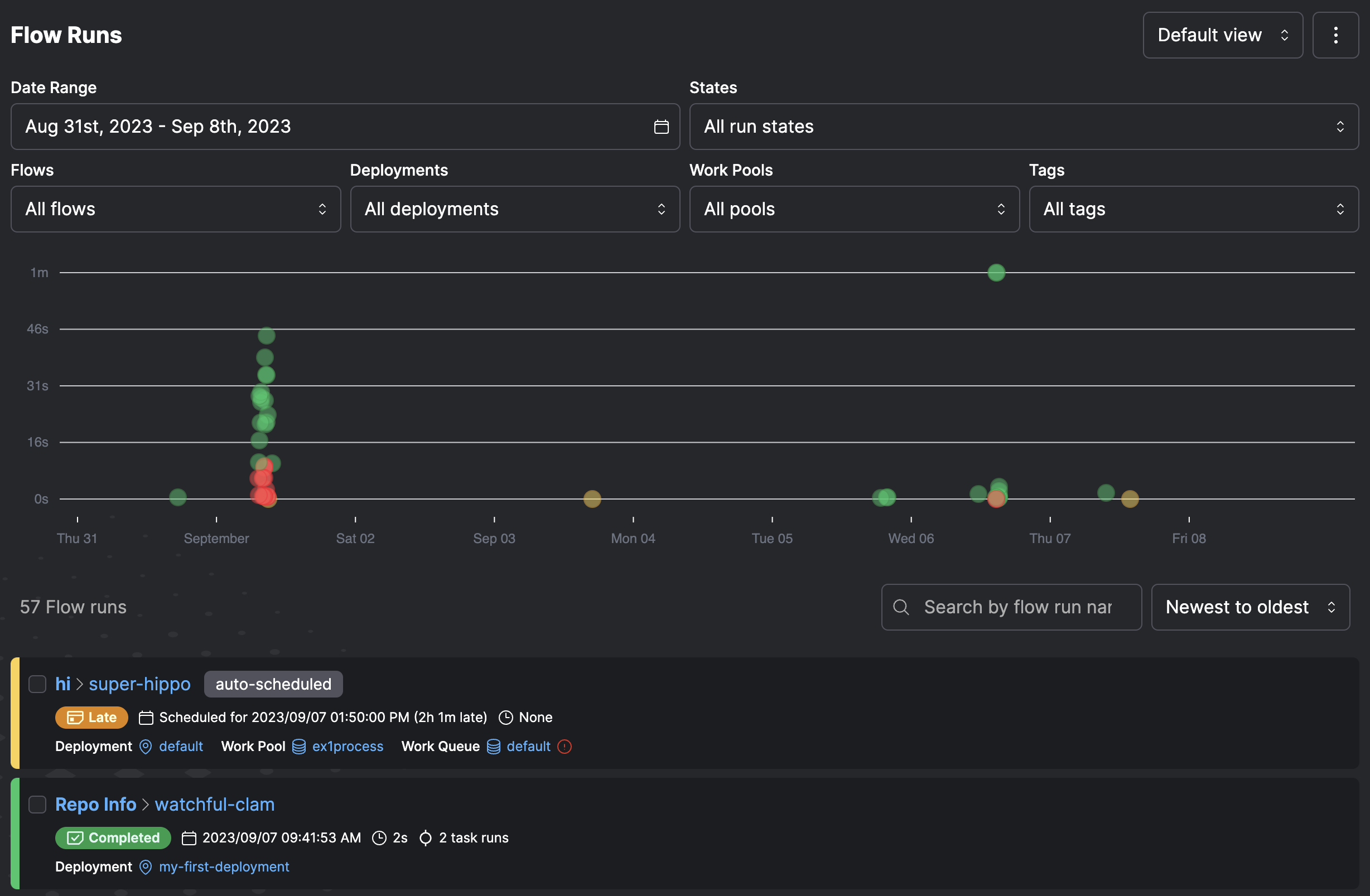
A flow run represents a single execution of the flow. You can create a flow run by calling the flow manually. For example, by running a Python script or importing the flow into an interactive session and calling it. You can also create a flow run by:- Using external schedulers such as
cronto invoke a flow function - Creating a deployment on Prefect Cloud or a locally run Prefect server
- Creating a flow run for the deployment through a schedule, the Prefect UI, or the Prefect API
Writing flows
The@flow decorator is used to designate a flow:
name parameter value for the flow.
If you don’t provide a name, Prefect uses the flow function name.
Subflows
In addition to calling tasks within a flow, you can also call other flows. Child flows are called subflows and allow you to efficiently manage, track, and version common multi-task logic. Subflows are a great way to organize your workflows and offer more visibility within the UI. Add aflow decorator to the get_open_issues function:
Flow settings
Flows allow a great deal of configuration by passing arguments to the decorator. Flows accept the following optional settings.
For example, you can provide a
name value for the flow. Here is the optional description argument
and a non-default task runner.
flow_run_name.
This setting accepts a string that can optionally contain templated references to the parameters of your flow.
The name is formatted using Python’s standard string formatting syntax:
prefect.runtime module. For example:
validate_parameters check that input values conform to the annotated types on the function.
Where possible, values are coerced into the correct type. For example, if a parameter is defined as x: int and “5” is passed,
it resolves to 5.
If set to False, no validation is performed on flow parameters.
Composing flows
A subflow run is created when a flow function is called inside the execution of another flow. The primary flow is the “parent” flow. The flow created within the parent is the “child” flow or “subflow.” Subflow runs behave like normal flow runs. There is a full representation of the flow run in the backend as if it had been called separately. When a subflow starts, it creates a new task runner for tasks within the subflow. When the subflow completes, the task runner shuts down. Subflows block execution of the parent flow until completion. However, asynchronous subflows can run concurrently with AnyIO task groups or asyncio.gather. Subflows differ from normal flows in that they resolve any passed task futures into data. This allows data to be passed from the parent flow to the child easily. The relationship between a child and parent flow is tracked by creating a special task run in the parent flow. This task run mirrors the state of the child flow run. A task that represents a subflow is annotated in itsstate_details with the presence of a child_flow_run_id field.
A subflow is identified with the presence of a parent_task_run_id on state_details.
You can define multiple flows within the same file.
Whether running locally or through a deployment, you must indicate which flow is the entrypoint for a flow run.
my_subflow() as a subflow:
hello_world() flow (in this example from the file hello.py) creates a flow run like this:
Final state determination
Read the documentation about states before proceeding with this section.
- If an exception is raised directly in the flow function, the flow run is marked as failed.
- If the flow does not return a value (or returns
None), its state is determined by the states of all of the tasks and subflows within it.- If any task run or subflow run failed, then the final flow run state is marked as
FAILED. - If any task run was cancelled, then the final flow run state is marked as
CANCELLED.
- If any task run or subflow run failed, then the final flow run state is marked as
- If a flow returns a manually created state, it is used as the state of the final flow run. This allows for manual determination of final state.
- If the flow run returns any other object, then it is marked as completed.
Raise an exception
If an exception is raised within the flow function, the flow is immediately marked as failed.Return none
A flow with no return statement is determined by the state of all of its task runs.
Return a future
If a flow returns one or more futures, the final state is determined based on the underlying states.Return multiple states or futures
If a flow returns a mix of futures and states, the final state is determined by resolving all futures to states, then determining if any of the states are notCOMPLETED.
Failed, but the states of each of the returned futures is included in the flow state:
Returning multiple statesWhen returning multiple states, they must be contained in a
set, list, or tuple.
If using other collection types, the result of the contained states are checked.